Feature set

Everything the product does, arranged around the screenshot lifecycle.

AnyShot is not trying to be a design suite. It is a compact flow for capturing context, annotating quickly, and sharing without leaving clutter behind.

Capture

Full-page screenshots that preserve context

AnyShot is built for pages longer than the viewport. The product captures top to bottom so handoffs keep their surrounding evidence intact.

  • One-click Chrome extension flow
  • Built for full-page pages, docs, and product UIs
  • Fast enough to feel invisible

Edit

Annotation tools with almost no learning curve

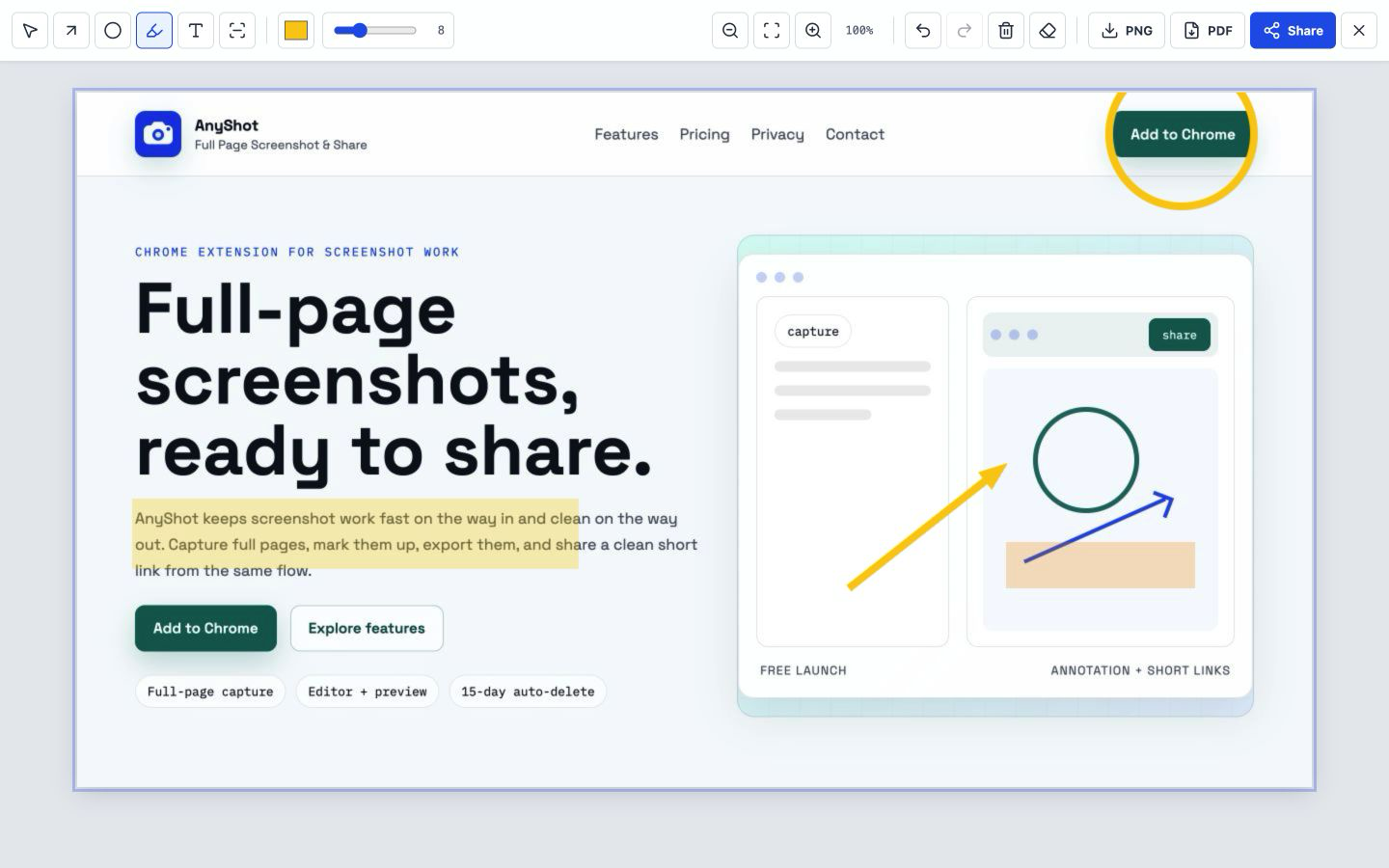
The editor centers on a clean canvas and a compact toolbar. Visual emphasis stays on the screenshot, not on the software around it.

  • Arrows, circles, and highlight tools
  • Color picker, stroke width, undo, and clear
  • Preview-oriented layout with minimal chrome

Share

Short-link sharing for the moments that matter

When a screenshot is meant to travel, AnyShot keeps upload, URL generation, and lightweight screenshot management inside the same editing flow.

  • Firebase-backed screenshot hosting
  • Short URLs for teams, clients, and docs
  • Manual delete controls when a capture should disappear early

Retention

Automatic cleanup instead of permanent sprawl

Hosted screenshots are not designed to live forever. AnyShot keeps the sharing layer practical, temporary, and easier to govern.

  • Automatic deletion after 15 days
  • Subscription-aware sharing workflow
  • Clear privacy policy and service boundaries

Editor surface

A toolbar, a canvas, and enough control to make the point fast.

The editing UI takes cues from the extension itself: fixed top controls, a large working canvas, and a single share action that stays obvious when a capture is ready.

Plan boundary

Capture, editing, export, and sharing are free during launch. If a paid layer returns later, it will sit on top of the hosted workflow.